Bates Numbering Stamp: Digital Alternative to Numbering Machines
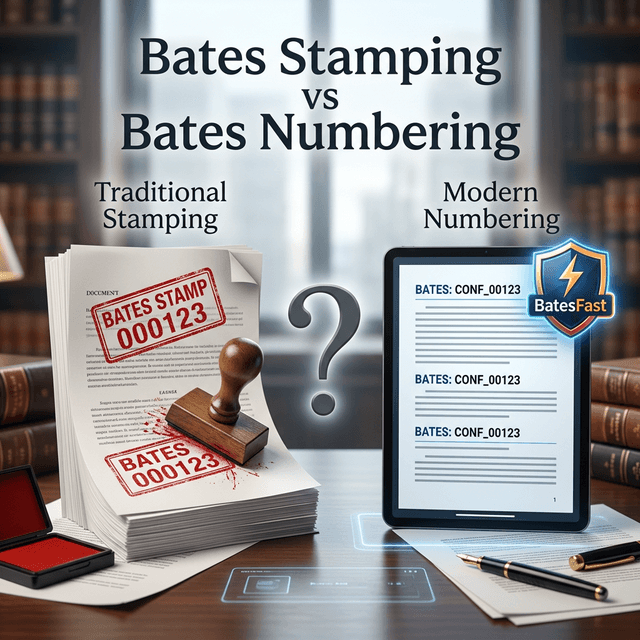
A Bates numbering stamp used to mean a physical stamp or numbering machine. For PDFs, scans, and discovery productions, the better option is a digital Bates numbering stamp that applies exact, searchable, repeatable identifiers across every file.
What is a Bates numbering stamp?
A Bates numbering stamp applies sequential numbers to documents so each page can be identified later. Physical Bates numbering machines still exist, but legal teams increasingly work from PDFs, scanned records, image files, and electronic productions. That makes digital Bates numbering faster, safer, and easier to audit.
Searchers may call the tool a Bates numbering stamp, Bates numbering machine, Bates stamp machine, Bates numbering stamps, or Bates stamping software. The job is the same: create a reliable page identifier that survives the production workflow.
Use BatesFast as your digital Bates numbering stamp
BatesFast applies sequential Bates numbers to PDFs, JPEGs, PNGs, and TIFFs locally in your browser. You can configure the number format, placement, opacity, font, file renaming, and output reports before downloading the finished production.
Configurable
Prefixes, suffixes, padding, placement, font, and color.
Batch based
Continuous numbering across multiple files.
Private
Files stay on your machine during processing.
Digital Bates stamp vs Bates numbering machine
| Need | Digital Bates stamp | Physical machine |
|---|---|---|
| PDF productions | Stamp hundreds of files in one batch | Requires printing first |
| Continuous numbering | Carries ranges across files automatically | Manual checks are required |
| Custom formats | Prefix, suffix, padding, date, and file variables | Limited by the physical device |
| Audit trail | Export Bates index and job metadata | Usually logged separately |
| Security | Local browser processing with no upload | Paper handling and custody risks |
When a physical numbering stamp still helps
A paper Bates stamp machine can still make sense for original exhibits, bound records, paper-only productions, or archive boxes that will not be scanned. For most PDF workflows, though, a digital Bates numbering stamp avoids printing, restacking, rescanning, and manual renumbering mistakes.
- Use digital stamping for PDFs and scanned discovery
- Use Bates labels for paper originals that need visible identifiers
- Keep one Bates range plan across both paper and digital workflows
- Export an index so every document range can be verified later
Bates numbering stamp FAQs
What is a Bates numbering stamp?
A Bates numbering stamp is a tool that applies sequential identifiers to documents. Modern digital Bates numbering stamps apply those identifiers to PDF pages and scanned files.
Is a Bates numbering machine still necessary?
A physical Bates numbering machine can still be useful for paper originals, but digital Bates numbering is faster and easier for PDFs, scans, and electronic discovery.
Can BatesFast replace a Bates stamp machine?
For digital files, yes. BatesFast applies sequential Bates stamps to PDFs and image files locally in the browser and can also generate printable Bates label sheets for paper records.
Related Bates numbering guides
Bates Numbering PDF
How to Bates stamp a PDF step by step, with free and Adobe options.
Bates Stamping vs Bates Numbering
Clarify the terms searchers and legal teams use interchangeably.
What is Bates Numbering?
A definition-focused guide for the basics and legal context.
Batch Process Bates Numbering
Learn how to process high-volume document sets efficiently.
Desktop vs Browser-Based Bates Numbering
Compare installed software with secure browser-based Bates stamping.
Replace the stamp machine for PDFs
Use BatesFast as a digital Bates numbering stamp for modern PDF and image productions.
Open BatesFast