Bates Numbering Software: How to Choose (2026 Buyer's Guide)
Every Bates numbering program claims to do the same thing, but the differences that matter — where your files are processed, how it handles large batches, and what it costs over three years — are easy to miss on a features page. This guide gives you a clear framework for choosing Bates numbering software, plus a pick for each common use case.
What Bates numbering software actually needs to do
Bates numbering software applies a unique, sequential identifier to every page of a document set so that any page can be cited, retrieved, and verified later. That sounds simple, and for a handful of pages it is. The problem appears at production scale: thousands of pages, mixed formats, strict court-mandated number formats, and confidentiality obligations that make uploading files to a stranger's server a non-starter.
A good Bates numbering program, therefore, is judged less on whether it can stamp a number and more on how it behaves under those constraints. The seven criteria below are ordered by how much they tend to matter for legal, medical, and compliance teams.
7 criteria for evaluating a Bates numbering program
1. Where your files are processed
This is the single most important criterion for legal, medical, and compliance work. Cloud-based Bates numbering software uploads your documents to a remote server before stamping — a confidentiality risk for privileged or regulated material. Prefer client-side software that processes files locally in the browser, so nothing is ever transmitted.
2. Batch performance at real production scale
A demo with three pages tells you nothing. Good Bates numbering software stamps entire folders with continuous numbering across files, handles thousands of pages without freezing, and lets you reorder documents before processing. Ask how it behaves on a multi-gigabyte production set, not a single memo.
3. Format support (PDF, TIFF, JPEG, PNG)
Discovery arrives in mixed formats. The program should accept PDFs and scanned images (TIFF, JPEG, PNG) in the same batch and output clean, stamped PDFs. If a tool only handles PDFs, you will waste time converting images by hand.
4. Custom formatting and placement
Courts and opposing counsel expect specific formats. Look for custom prefixes and suffixes (e.g. DEF-000001), zero-padding, adjustable starting numbers, and precise position, font, size, and color control so the stamp never overwrites content.
5. File renaming, Bates removal, and labels
The best Bates numbering software does more than stamp. File renaming by Bates range keeps productions organized, Bates removal fixes mistakes without re-scanning, and Avery label generation covers physical exhibits — all without a second tool.
6. Pricing model — subscription vs. one-time
Many Bates numbering programs are sold as recurring subscriptions or bundled into expensive PDF suites you don't need. For a focused task, a one-time purchase is almost always cheaper over any multi-year horizon. Compare total cost of ownership, not the monthly sticker price.
7. Platform (install vs. browser, Mac vs. Windows)
Legacy Bates numbering programs are often Windows-only and require IT to install and update them on every machine. Browser-based software runs on Mac and Windows alike, updates itself, and can install optionally as an offline PWA. Fewer installs means fewer support tickets.
Cloud vs. local (client-side) Bates numbering
This deserves its own section because it is where most buyers get it wrong. Many popular “online Bates numbering” tools are convenient precisely because they do the work on their own servers — which means your documents are uploaded, processed, and temporarily stored on infrastructure you do not control. For a marketing PDF that is fine. For a privilege-bearing discovery set, a patient chart, or a sealed corporate investigation, it is a liability.
Client-side Bates numbering software avoids the problem entirely. Tools like BatesFast use WebAssembly to run the entire stamping engine inside your browser tab. Files are read from your device, numbered in memory, and written back out — with no upload step at any point. Close the tab and the data is gone. You get the accessibility of a web app with the confidentiality of a fully local Bates numbering program. For a deeper comparison, see desktop vs. browser Bates numbering.
Bates numbering software by use case
Law firms & litigation teams
Prioritize batch speed and court-ready formatting for discovery and exhibits under FRCP Rule 34.
Corporate legal departments
Prioritize confidentiality for internal investigations — local processing keeps sensitive matters in-house.
Medical-records teams
Prioritize HIPAA privacy — never upload charts to a third-party server just to number them.
Real-estate & closing teams
Prioritize mixed-format handling for closing binders assembled from scans and PDFs.
Free vs. paid Bates numbering software
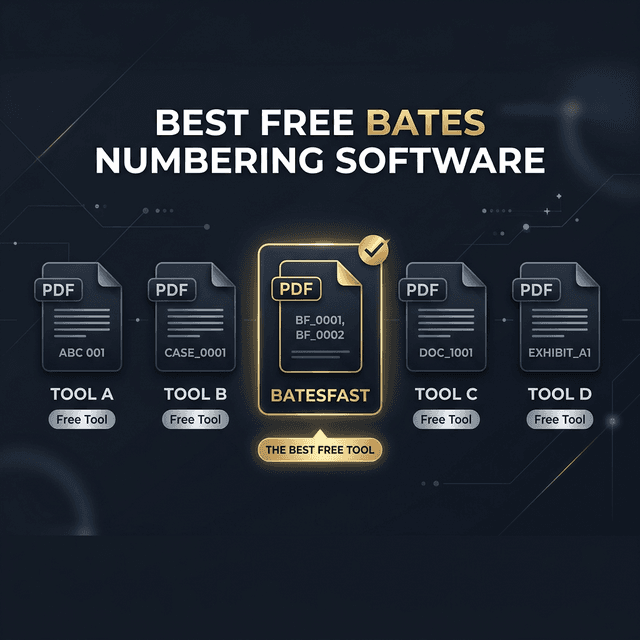
Free options exist, and for occasional, non-sensitive work they can be enough — but read the fine print. Free cloud tools usually pay for themselves by processing (and sometimes retaining) your uploaded files, and free desktop utilities often cap batch size or lack the formatting control courts expect. Paid Bates numbering software earns its price through reliability at scale, precise formatting, and — critically — a security model you can defend to a client. See our full breakdown of the best free Bates numbering software to weigh the trade-offs. The most cost-effective middle ground is software you can try before paying: BatesFast gives you one free preview run, then a one-time $299 purchase with no subscription.
Decision checklist & recommendation
Before you buy any Bates numbering program, confirm it can honestly answer “yes” to each of these:
- Does it process files locally, without uploading them?
- Can it batch-stamp mixed PDF/TIFF/JPEG/PNG sets with continuous numbering?
- Does it support custom prefixes, zero-padding, and precise placement?
- Does it include file renaming and (ideally) Bates removal and labels?
- Is it a one-time cost rather than a subscription you don't need?
- Does it run on your platform (Mac and Windows) without IT installs?
If you want software that answers “yes” to all six, Bates numbering software like BatesFast is built exactly around this checklist — secure, browser-based, and priced as a single purchase.
Related guides
Best Free Bates Numbering Software (Top 10 Compared)
See how the free and paid options stack up before you commit.
The Complete Guide to Bates Numbering
New to Bates numbering? Start with the fundamentals and terminology.
Desktop vs. Browser Bates Numbering
A deeper look at the install-and-upload trade-off covered in criterion 1 and 7.
Adobe Acrobat vs. BatesFast
Do you need a full PDF suite, or purpose-built Bates numbering software?
Frequently asked questions
- What is the difference between Bates numbering software and a Bates numbering program?
- There is no meaningful difference — the terms are used interchangeably. Both describe an application that applies unique, sequential identifiers to the pages of PDFs and document images. 'Program' often implies a traditional desktop install, while 'software' is the broader term that also covers browser-based tools like BatesFast.
- Is browser-based Bates numbering software secure for privileged documents?
- It depends on where the files are processed. Cloud tools upload your documents to a server, which is a confidentiality risk for privileged material. Client-side software like BatesFast processes every file locally in the browser using WebAssembly, so documents never leave your device — making it suitable for privileged and regulated records.
- Do I need to install Bates numbering software?
- No. Traditional Bates numbering programs require a per-machine install, but browser-based software runs instantly in any modern browser. BatesFast can also be installed optionally as an offline PWA if you prefer an app-like experience.
- What is the best Bates numbering software for Mac?
- Because many legacy Bates numbering programs are Windows-only, Mac users are best served by browser-based software that runs identically on macOS. BatesFast works in Safari, Chrome, Edge, and Firefox on Mac and Windows with no platform-specific install.
Try the Bates numbering software built around this checklist
Set your prefix and starting number, add your files, and stamp the production set locally in your browser — nothing uploaded. Start with one free preview run.
Open BatesFast