Adobe Acrobat vs BatesFast: Which Bates Numbering Tool is Right for You?
Adobe Acrobat Pro is the industry standard for PDF editing, but BatesFast offers a compelling affordable alternative focused specifically on Bates numbering. This comprehensive comparison helps you choose the right tool for your needs and budget.
How to Bates number in Adobe Acrobat (step by step)
To add Bates numbering in Adobe Acrobat Pro, open Tools, choose Edit PDF, select More, then Bates Numbering, and click Add. Add your files, set the prefix, the number of digits, and where the stamp sits on the page, then apply the numbering across the batch.
- Open Adobe Acrobat Pro and select Tools → Edit PDF.
- Click More → Bates Numbering → Add.
- Add the PDF files you want to number (Acrobat processes them in the listed order).
- Set the prefix, suffix, number of digits, starting number, and position.
- Click OK to stamp the sequential Bates numbers.
This requires a paid Acrobat Pro subscription and a desktop install. If Bates numbering is the main job you need, BatesFast does the same thing in any browser for a one-time $299 purchase — no subscription, no install, and files are processed client-side so they are never uploaded. See how the two compare below.
Quick Comparison
| Feature | Adobe Acrobat Pro | BatesFast |
|---|---|---|
| Price | $24.99/month (subscription) | $299 one-time |
| Installation Required | Yes | No |
| Platform | Windows/Mac only | Any browser |
| Security Model | Local processing | Client-side (browser) |
| File Size Limits | None | None |
| Batch Processing | ✓ | ✓ |
| Custom Formats | ✓ | ✓ |
| Label Generation | ✗ | ✓ |
| File Renaming | ✗ | ✓ |
| Learning Curve | Steep | Minimal |
| Reliability | Frequent crashes reported | Stable |
| Updates Required | Frequent, mandatory | None |
Pricing Deep Dive
Adobe Acrobat Pro
$299.88/year per user (recurring forever)
- • Full PDF editing suite
- • Bates numbering included
- • Cloud storage (100GB)
- • Mobile apps
Common Issues (G2 & Capterra Reviews):
- • “Crashes a few times a week losing all changes” — G2 reviewer
- • “Lags and crashes when working with large numbers of documents” — Capterra
- • “Subscription fees are not reasonable” — G2, 183 mentions of “expensive”
- • “Interface can feel overloaded for new users” — G2, 109 mentions
- • “Support reps just tried to sell me the costliest enterprise package” — G2
BatesFast
£210 inc VAT (EU) · No subscription ever
- • Purpose-built for Bates numbering
- • One-time purchase — own it forever
- • No recurring fees or subscriptions
- • Works in any browser, any device
- • Stable, reliable, fast
- • No crashes or bloat
- • Label generation included
- • File renaming included
- • Volume discounts for 10+ licenses
Cost by Team Size (3-Year Total Cost of Ownership)
| Team Size | Adobe Acrobat (3 Years) | BatesFast (One-Time) | 3-Year Savings |
|---|---|---|---|
| 1 user | $899.64 | $299 | $600.64 |
| 5 users | $4,498.20 | $995 | $3,503.20 |
| 10 users | $8,996.40 | $1,990 | $7,006.40 |
| 20+ users | $17,992.80+ | Volume discount | Contact for pricing |
💰 The Real Cost
Adobe Acrobat charges $24.99/month — every month, forever. BatesFast is a one-time $299 purchase with no recurring fees. Over 3 years, a single user saves over $600. A 10-person firm saves over $6,000. And with volume discounts for 10+ licenses, larger teams save even more. Stop renting software — own it outright.
Feature-by-Feature Comparison
Bates Numbering Features
Both tools offer comprehensive Bates numbering, but BatesFast is purpose-built for this task:
- Custom formats: Both support prefixes, suffixes, and zero-padding
- Position control: Both allow placement anywhere on the page
- Font customization: Both offer font, size, and color options
- Batch processing: Both number multiple documents sequentially
- Sequential numbering: Both maintain continuity across documents
Unique to BatesFast
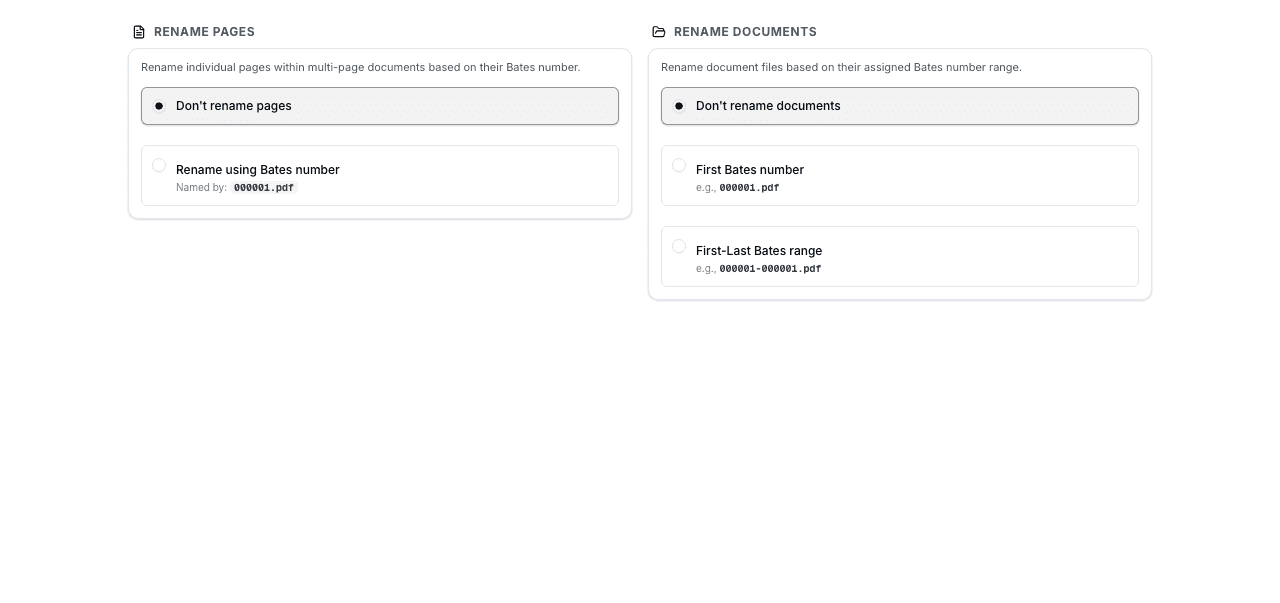
File Renaming
Automatically rename output files with Bates number ranges for organized file management.
Label Generation
Create Avery label sheets with Bates numbers for physical document organization.
Template Variables
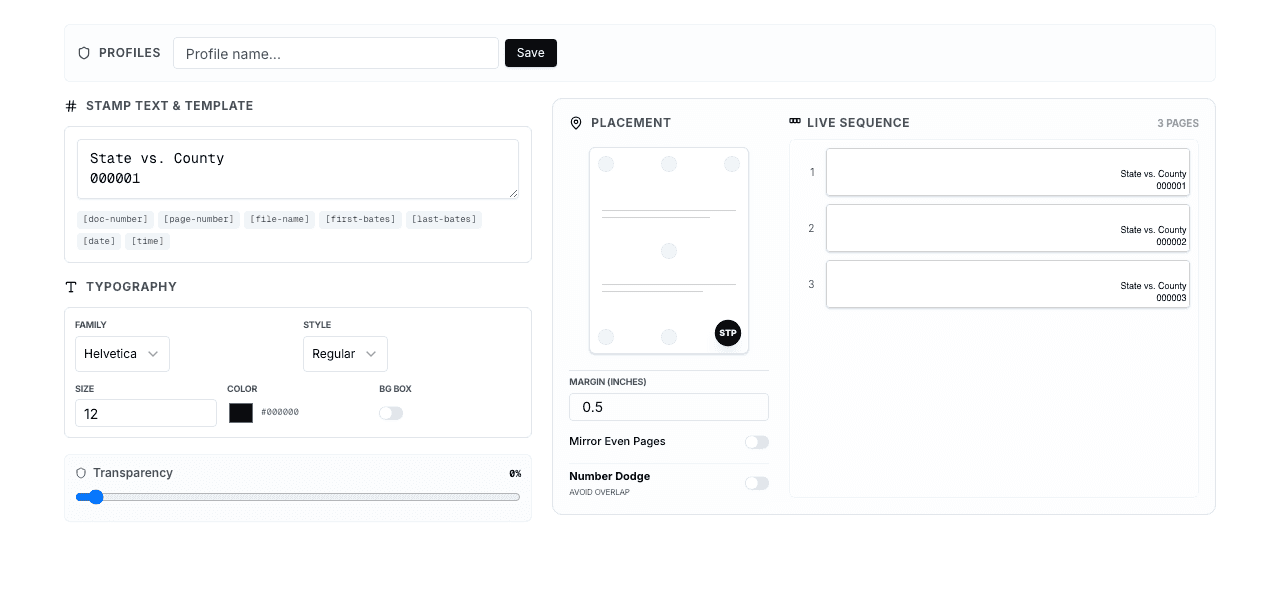
Include filename, page numbers, dates, and custom text in stamp templates.
Zero Setup
Open your browser and start immediately. No installation, account, or configuration needed.
Adobe Acrobat Additional Features
Adobe Acrobat includes features beyond Bates numbering, though these come with significant trade-offs:
- Full PDF editing: Edit text, images, and pages (but slow and crash-prone per user reviews)
- OCR: Convert scanned documents to searchable PDFs
- Form creation: Build fillable PDF forms
- Digital signatures: Sign and certify documents
- Redaction: Permanently remove sensitive information
⚠️ Important Consideration
G2 and Capterra reviews consistently report that Adobe Acrobat suffers from frequent crashes, slow performance, a bloated interface, and poor customer support. If you primarily need Bates numbering, you're paying $240/year for features you don't use while dealing with unnecessary complexity and reliability issues.
Performance Benchmarks
Processing speed matters when you're working with large document sets under tight deadlines. Here's how the two tools compare across different document sizes:
Processing Speed Comparison
* Times are approximate and vary by hardware. BatesFast uses WebAssembly for near-native performance.
Security and Privacy Comparison
For legal professionals handling confidential documents, security is non-negotiable. Both tools process documents locally, but the security models differ:
Adobe Acrobat Pro
- Local processing on your computer
- Requires installation (potential attack surface)
- Frequent updates can introduce vulnerabilities
- Adobe cloud features may transmit data
- Telemetry and usage tracking enabled
BatesFast
- 100% client-side processing in browser
- Documents never leave your computer
- No installation = no attack surface
- No cloud features or data transmission
- No telemetry or tracking
Use Case Recommendations
✓ Choose BatesFast (Recommended for Most Users)
- • You primarily need Bates numbering, not full PDF editing
- • You want to stop paying $300/year per user — BatesFast is $299 one-time
- • You need cross-platform compatibility (Mac, Windows, Linux, ChromeOS)
- • You prefer zero installation, zero maintenance, zero updates
- • Maximum document security is important (client-side processing)
- • You need label generation or file renaming features
- • You're a solo practitioner, paralegal, or small-to-mid firm
- • You want reliable, crash-free performance every time
- • You're tired of Adobe's subscription fees and software bloat
⚠ Only Consider Adobe Acrobat If:
- • You need extensive PDF editing capabilities on a regular basis
- • You require OCR for scanned documents frequently
- • Creating and managing PDF forms is a core function
- • You need built-in digital signature features
- • You use redaction frequently for sensitive documents
- • You already have an Adobe Creative Cloud subscription
- • You can tolerate crashes, slow performance, and complexity
Many professionals use BatesFast for Bates numbering and only purchase Acrobat when they specifically need advanced PDF editing — saving money and avoiding daily frustration with Acrobat's issues.
Migration Guide: Switching from Adobe to BatesFast
Switching from Adobe Acrobat to BatesFast for Bates numbering takes about 5 minutes. There's nothing to install, configure, or migrate:
- Open BatesFast in any browser — no account or installation needed
- Configure your stamp settings to match your existing Bates format (prefix, digit count, position, font)
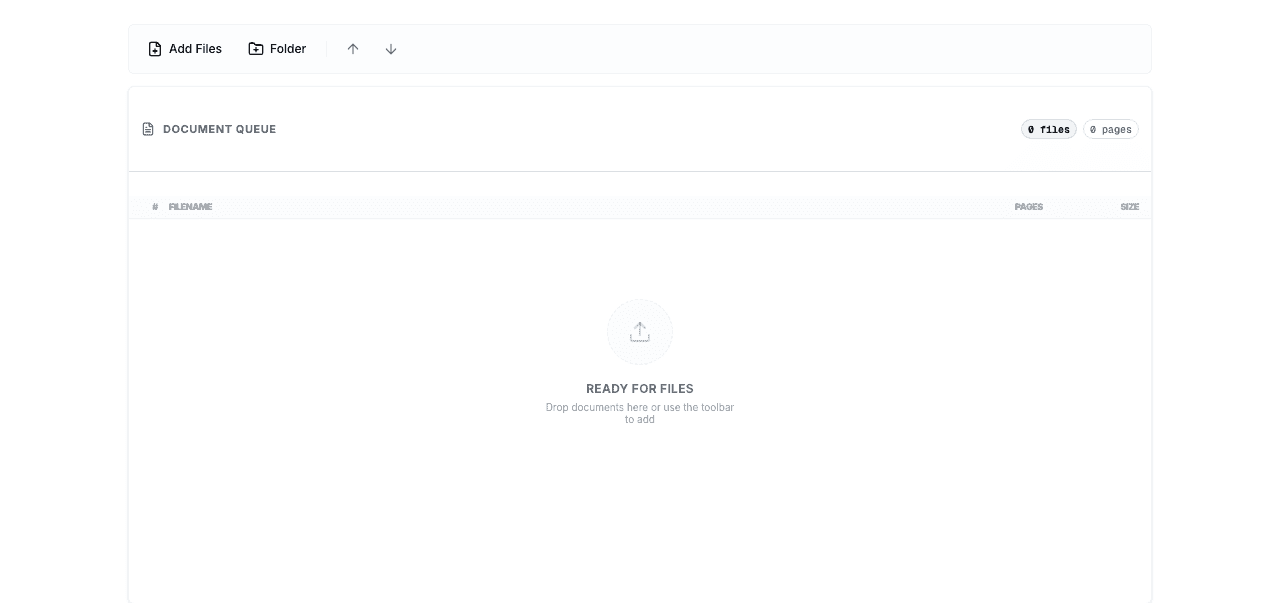
- Upload your documents by dragging and dropping PDFs
- Set the starting number to continue from your last Acrobat production
- Process and download — your stamped documents are ready
Compatibility Note
BatesFast produces standard PDF output compatible with all PDF viewers, e-discovery platforms, and document management systems. Documents stamped by BatesFast are indistinguishable from those stamped by Adobe Acrobat — courts and opposing counsel will see identical results.
Frequently Asked Questions
How do I add Bates numbering in Adobe Acrobat?
In Adobe Acrobat Pro, open Tools, choose Edit PDF, select More, then Bates Numbering, and click Add. Add your files, set the prefix, number of digits, and page position, then apply. Acrobat requires a paid subscription and a desktop install. BatesFast performs the same Bates numbering in any browser for a one-time $299 purchase, with client-side processing so files are never uploaded.
Can BatesFast replace Adobe Acrobat for Bates numbering?
Absolutely. BatesFast offers all the Bates numbering features of Acrobat, plus unique capabilities like label generation and file renaming — without the crashes, bloat, or $300/year recurring subscription. At $299 one-time vs Adobe's never-ending monthly payments, BatesFast pays for itself in under 12 months.
Is BatesFast as secure as Adobe Acrobat?
BatesFast is arguably more secure. Documents are processed entirely in your browser and never leave your computer. There's no installed software to patch, no cloud features that could transmit data, and no telemetry tracking your usage.
Why do people still use Adobe Acrobat for Bates numbering?
Mostly inertia. Adobe has been the default for decades, so people assume they need it. Once legal professionals discover modern alternatives like BatesFast, they typically switch for Bates numbering and save the subscription cost.
Can I use both tools together?
Yes. Many professionals use BatesFast for all Bates numbering and keep Adobe Acrobat only for tasks that specifically require full PDF editing (OCR, form creation, redaction). This approach saves money if your firm doesn't need Acrobat licenses for every team member.
Does BatesFast support the same number formats as Acrobat?
Yes. BatesFast supports all standard Bates number formats including custom prefixes, suffixes, zero-padding, and digit counts. You can replicate any format you previously used in Adobe Acrobat without any compatibility issues.
How do processing speeds compare for large documents?
BatesFast's WebAssembly engine provides comparable or faster processing than Adobe Acrobat for Bates numbering operations. For a typical 1,000-page document, BatesFast processes in 3-5 seconds. Large batches of 5,000+ pages complete in under 20 seconds.
Is Adobe Acrobat worth the cost just for Bates numbering?
No. At $300/year per user (and rising), Adobe Acrobat is dramatically overpriced if Bates numbering is your primary use case. BatesFast provides equal or better Bates numbering for a one-time $299 purchase — no subscription, no recurring fees, ever. Only consider Acrobat if you regularly need its other PDF editing features.
Can BatesFast handle password-protected PDFs?
BatesFast can process PDFs that allow content modification. If a PDF has a permissions password that restricts editing, you'll need to remove that restriction first. PDFs with open passwords need the password entered before processing. This is the same behavior as Adobe Acrobat.
Conclusion
Adobe Acrobat Pro is a comprehensive PDF editing tool, but it's expensive, bloated, and plagued with performance issues. If you primarily need Bates numbering, paying $240/year for Acrobat is wasteful.
BatesFast provides professional Bates numbering for a one-time $299 purchase ($300/year less than Adobe's recurring subscription), with better security, no installation, no crashes, and unique features like label generation and file renaming. For the vast majority of legal professionals, BatesFast is the smarter investment. Volume discounts are available for teams of 10+.
Try BatesFast — No Adobe Subscription Required
Professional Bates numbering at $299 one-time (€350 EUR). Start with one free preview run — no recurring fees, no installation, no limits. Volume discounts for 10+ licenses.
Start Using BatesFast